Guides
- Instagram automation
- Comment-to-DM
- Campaign setup
Instagram comment-to-DM automation: a practical setup guide
Plan a useful workflow, choose clear triggers, and review the experience before publishing a campaign.
What a comment-to-DM workflow does
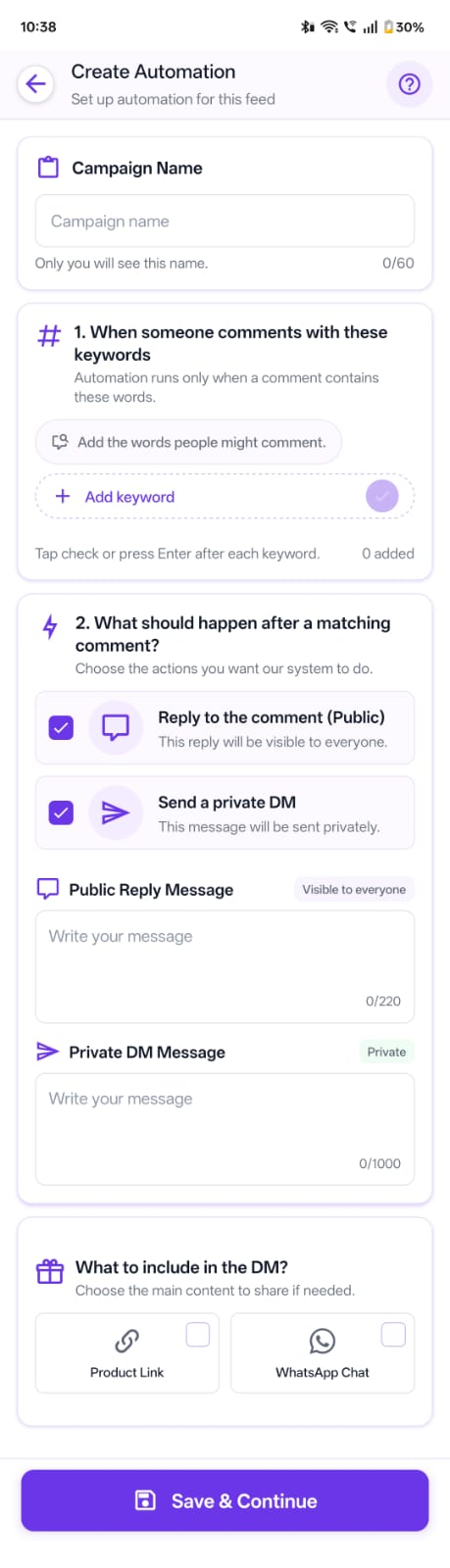
A comment-to-DM workflow connects a defined comment trigger on eligible Instagram content to a response. Depending on the setup and current platform permissions, that response can include a public reply and a private message.
Automation should support a helpful conversation, not replace clear offers or permission-aware messaging. Explain what someone will receive and make the follow-up message relevant to the comment.
Choose one outcome before configuring triggers
Start by identifying the purpose of the post: sharing a product link, sending event details, answering a common question, or directing someone to a resource. A single, clear outcome makes the trigger and message easier to understand.
Choose a keyword that naturally fits the call to action in the post. Avoid a broad trigger that could match unrelated comments, and consider spelling variations if they are likely for your audience.
Write the public reply and direct message separately
The public reply should acknowledge the comment and set an accurate expectation. The private message should deliver the promised information early, use concise language, and include a destination link only when it is useful.
Check that the link works on a phone and that the destination explains what happens next. Avoid implying that a message was sent or a result was achieved until your campaign confirms it.
Test, monitor, and refine
Before promoting the post, review the selected account, post, trigger words, reply text, and message destination. Test the flow with an appropriate account and verify what the recipient actually sees.
Meta's private-reply documentation describes account eligibility, supported comment surfaces, permissions, and reply limits. Review the current requirements before launching and when diagnosing a campaign.
After launch, review campaign activity and adjust unclear copy or noisy triggers. Platform features and messaging rules can change, so re-check current requirements and the connected account’s eligibility.
Next steps
Use the dminsecond feature overview to see the current campaign tools, or follow the step-by-step workflow before creating your first automation.
Explore dminsecond features, how it works, and current plans.